Blog / How To

Blog

All How To Genesis Models Local Genesis GV80 FAQs Genesis G80 Genesis G70 Technology Dealership Info Genesis G90 Genesis GV70 Just for Fun Safety Genesis GV60 Used Cars Genesis News
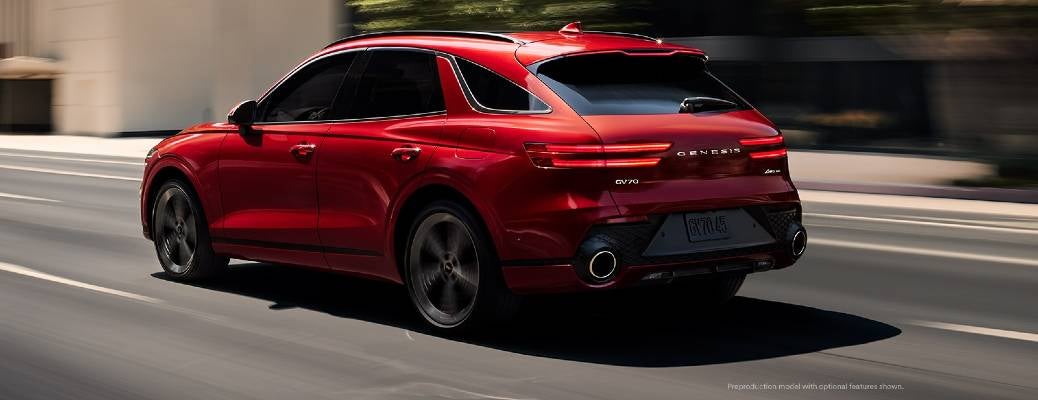
A red 2022 Genesis GV70 driving along an urban street, as seen from the rear in 3/4 view. Cover image for an article on How to Use the Genesis GV70 Digital Instrument Cluster

How to Use the Genesis GV70 Digital Instrument Cluster

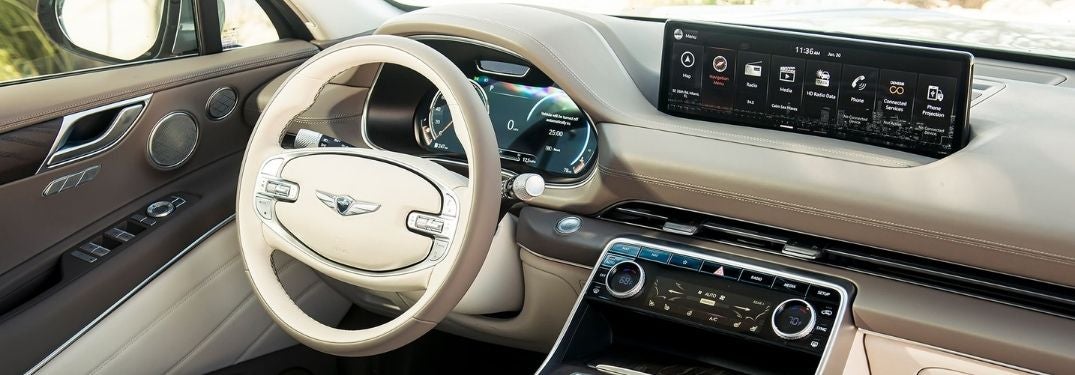
The days of analog instruments are fading away. Digital instrument clusters allow for better readability, and customizability based on the driver’s needs. Today, Earnhardt Genesis gives a look at how to use the Genesis GV70 digital instrument cluster. more View Our GV70 Inventory Genesis GV70 3D Cluster USA: The integration of high technology into automobiles has been ongoing since the car was invented. However, the 21 st century takes things to the next level, with AI safety systems, touchscreen displays, cameras, and more. Taking the instrument cluster digital has been a long time coming – and now it’s here. The digital instrument cluster in the GV70 can even display in 3D. Meanwhile, check out this video for info on how to use this amazing tech innovation! Additionally, the digital instrument cluster is customizable. You can change the display theme based on your driving mode. Some of the features in the instrument cluster are accessed and controlled via buttons located on the steering wheel. For these types of innovations, there’s no wonder that the 2022 Genesis GV70 was selected Motor Trend’s SUV of the Year®. Read More: The 2022 Genesis GV70 In-Depth Where to Find a High Tech 2024 Genesis GV70 in Scottsdale AZ You're probably curious about other features in the Genesis GV70, especially now you know how to use the Genesis GV70 Digital Instrument Cluster. For information or a test drive in the new 2024 Genesis GV70, please contact us. Furthermore, our knowledgeable staff can show you more in-depth details on the amazing high-tech features Genesis has built into their lineup of cars.
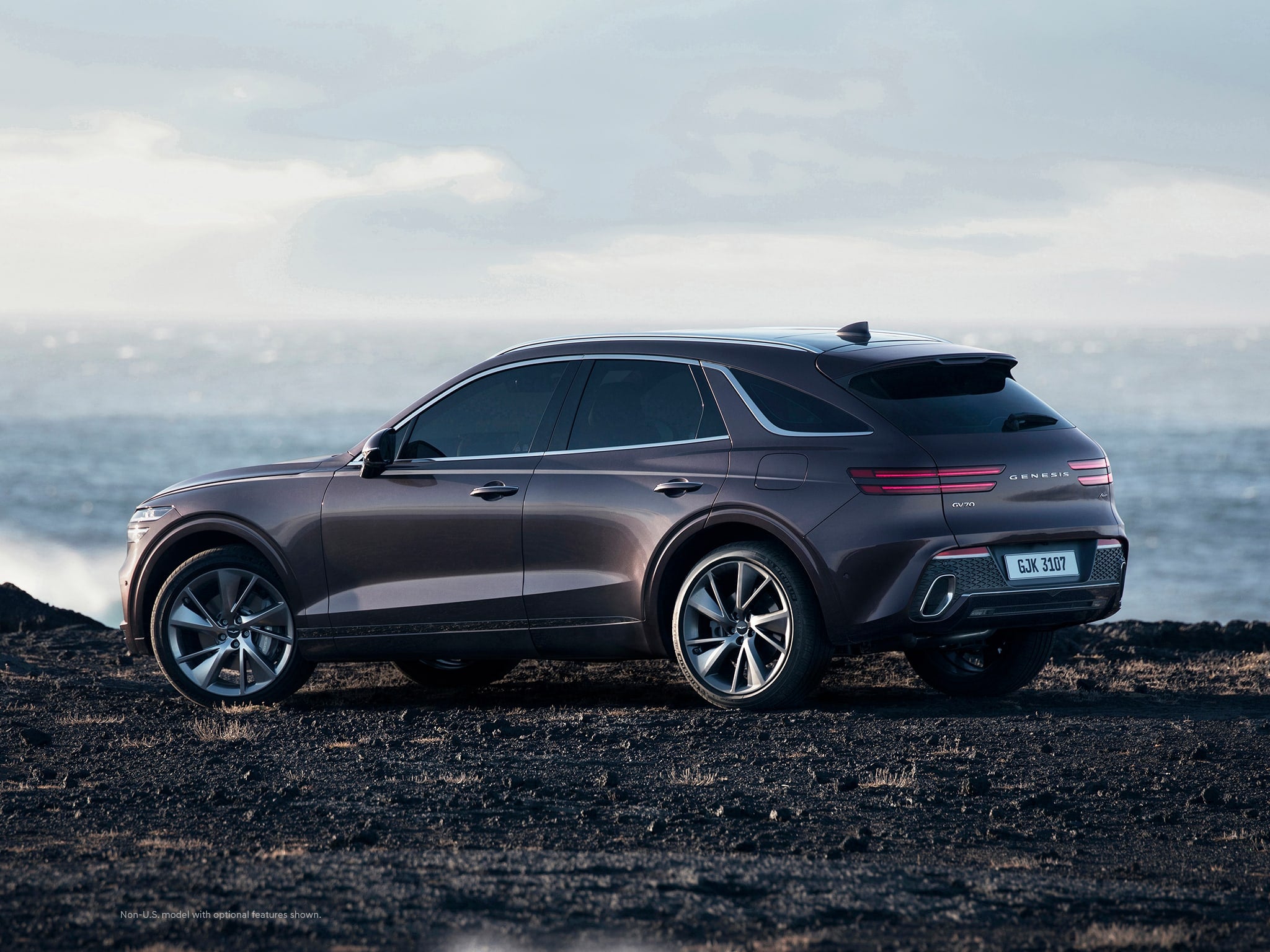
Side view of the 2022 Genesis GV70, heading an article on How to use the Ergo Motion Seat in the 2022 Genesis GV70

How to use the Ergo Motion Seat in the 2022 Genesis GV70

When purchasing a luxury automobile, it’s important to take advantage of every feature that is available. They’re there for your comfort and convenience but aren’t always obvious. For example, let’s look at how to use the Ergo Motion Seat in the 2022 Genesis GV70. Read on! <<break>> Ergo Motion Seat:  Your Comfort and Ergonomics in the 2022 Genesis GV70 The Genesis GV70 is luxurious and powerful, so it’s important that the seats are well made and supportive. Even better is when they can be fine-tuned to your specific needs. The engineers at Genesis have outdone themselves with the Ergo Motion Seat. Please enjoy this video that gives step-by-step instructions. This isn’t an ordinary car seat – it’s more like having a personal masseuse with you on every road trip. It’s no wonder that the 2022 Genesis GV70 is Motor Trend’s SUV of the Year®. ------------------------------ Read More on the GV70 Here: 2022 Genesis GV70 North Scottsdale | AZ -------------------------- Where to Find a New 2022 Genesis GV70 in North Scottsdale AZ If you’d like to learn more about the 2022 Genesis GV70 or other Genesis models, please contact us. Earnhardt Genesis can put you in the (technologically advanced, comfortable) driver’s seat.

A front view of the 2022 Genesis G80 driving on the highway, with the background blurred to show motion

How to use Smart Cruise Control in the Genesis G80

Technological wonders are being integrated into new cars at an astonishing pace. One standout feature is adaptive or smart cruise control. Genesis has an amazing take on this driving assistant, so read on to find out more about it and how Smart Cruise Control (SCC) works in the 2022 Genesis G80. more Using Smart Cruise Control in the Genesis G80 Your Genesis can help augment your reflexes and take some of the driving burdens off of you with Smart Cruise Control. This advanced feature allows drivers to maintain the desired speed, as well as the distance between the car in front. Pressing the Driving Assist Mode button engages the system, which turns on SCC, as well as other safety systems including Lane Following Assist (LFA) and Highway Driving Assist (HDA). Please view this video provided by Genesis USA that goes into more detail about this fascinating and useful system: As you can see, the engineers at Genesis have integrated a system into the Genesis G80 that makes driving safer, more intuitive, and less stressful. Other Safety Features in the Genesis G80 What other safety features can be found in the Genesis G80? Some of these advanced features include: Rear Cross-Traffic Collision-Avoidance Assist (RCCA) Blind Spot Collision-Avoidance Assist (BSCA) Driver Attention Warning These features, among others, have gained the Genesis G80 the IIHS 2021 Top Safety Pick+ of 2021. That means that driving a Genesis is as safe as it is fun. Read More: The 2022 Genesis G80 Features and Specs The New 2022 Genesis G80 in North Scottsdale – Smart Driving and Smart Shopping Intelligent automobiles are a huge help in terms of safety and convenience. Smart driving and enhanced safety, create a winning combination with the luxury and performance of the 2022 Genesis G80. If you’re interested in seeing if the G80 is a fit for you, contact us for more information or a test drive.

3/4 front view of a new 2022 Genesis G80 in a showroom environment

How to Use the 2022 Genesis G80 Surround View Monitor

Advances in automotive safety have taken a huge leap in recent years. Genesis has helped lead the way in integrating this technology into their vehicles, with some truly advanced features in place. Let’s look at the 2022 Genesis G80 Surround View Monitor. more Your Safety Experience in the Genesis G80 What if you could have a second set of eyes helping you out when you’re on the road? The 2022 Genesis G80 Surround View Monitor provides just that. For more information on how to use this feature, please view this video provided by Genesis USA. Some sophisticated features include available app integration, which allows users to access the Surround View Monitor from connected devices. Read More on the G80 Here: 2022 Genesis G80 | Scottsdale, AZ Where to Find a New 2022 Genesis G80 If you’re interested in finding out more about the G80 or other Genesis models, be sure to contact us. Earnhardt Genesis has the expertise you need to find what’s right for you.

Woman Driving a 2022 Genesis GV70

Step-By-Step Instructions to Pairing Your Phone with Bluetooth in Your Genesis

How To Connect Your Smartphone to Genesis Bluetooth Bluetooth smartphone integration is valuable technology that will help keep you connected no matter where you go in your 2022 Genesis GV70. Make phone calls or send texts via the Genesis touchscreen multimedia system and enjoy hands-free connectivity no matter where you may be. Use this quick step-by-step guide to learn how to connect your smartphone to Genesis Bluetooth when you get behind the wheel at Earnhardt Genesis of North Scottsdale. Find and test drive a Genesis luxury car or crossover today at the dealership and apply for online credit approval to make your dreams come true! more View Our Brand-New Genesis Model Inventory Contact Earnhardt Genesis of North Scottsdale How-To Guide to Bluetooth Phone Pairing in a Genesis Select Setup on the Genesis Center Console Select Device Connection Select Bluetooth Connections and ADD Select the Bluetooth Connections You Want to Use Select Your Genesis Vehicle on Your Smartphone Bluetooth Menu Accept the Device Pairing and Enter the PIN on Your Smartphone Allow Access to Contacts, Messages and Call History Select Show Notifications READ MORE: How To Create a Digital Key for Your Genesis

Happy Woman in New Car with Keys and Earnhardt Genesis of North Scottsdale Logo

Get the Best Price for Your Trade-In at Earnhardt Genesis of North Scottsdale!

How To Trade In Your Vehicle in Scottsdale AZ Have you had your eye on the next-generation 2022 Genesis G70? Is it time to invest in your dream car in the Phoenix-Scottsdale area? Earnhardt Genesis of North Scottsdale is ready to help you fulfill your automotive dreams and we are ready to pay great prices for your trade-in at the dealership. Learn more about how to trade in your vehicle in Scottsdale, AZ with this quick overview. more Calculate Trade-In Value View Our Used Inventory Contact Our Dealership Calculate How Much Your Used Car is Worth in Scottsdale AZ Not sure how much your used car, truck or crossover is worth? Do you want to trade it in toward a brand-new Genesis luxury car or crossover? Earnhardt Genesis of North Scottsdale makes it simple with the Value Your Trade price calculator. All you need to do to get an accurate estimate on the value of your vehicle for sale or trade is to fill out the online form – just input your contact information, current vehicle information and the vehicle condition – and we will provide you with an accurate appraisal. When you have completed this process, contact a member of the Earnhardt Genesis of North Scottsdale team and we will arrange an inspection and help you find your dream car at a dream price. Top 5 Things To Do Before You Sell or Trade Your Used Car Are you planning on selling or trading your vehicle at Earnhardt Genesis of North Scottsdale? Do you want to make sure you get the most for your trade-in? Here is a quick list of 5 things you can do before you sell or trade your used car to make sure you get a great price. Research and Study the Market Have All of Your Paperwork Ready Give Your Used Car, Truck or SUV a Quick Inspection and Perform Minor Repairs Detail the Interior and Exterior of Your Used Car Decide if You Want to Sell or Trade Your Car READ MORE: How To Buy a Genesis Online in Scottsdale AZ Learn more about how to trade in your vehicle in Scottsdale, AZ with this quick overview created by Earnhardt Genesis of North Scottsdale. Visit the dealership website today, get pre-approved for credit, and get ready to get behind the wheel of a brand-new Genesis!

Silver 2021 Genesis GV80 Side Exterior Parked Next to Water and Palm Trees

Step-By-Step Instructions to the Genesis Remote Smart Parking Assist Feature

How To Use the Genesis Remote Smart Parking Assist Do you struggle to park your SUV in tight spots? Do you have a difficult time getting in and out of your cramped garage? The Genesis Remote Smart Parking Assist feature will make parking your 2024 Genesis GV80 quick and easy with remote capabilities from inside or outside the vehicle. Learn how to use the Genesis Remote Parking Assist feature with this quick step-by-step how-to guide and video series provided by Earnhardt Genesis of North Scottsdale in the Phoenix and Scottsdale area. more How-To Guide to Genesis Remote Smart Parking Assist from the Inside Press the Parking View Button on the Center Console Follow the Instructions on the Touchscreen Display STOP as Directed and Select the Type of Parking Space Remove Hands from the Steering Wheel Press and Hold the Parking View Button Follow Instructions to Complete Parking How-To Guide to Genesis Remote Smart Parking Assist from the Outside Press the Parking View Button on the Center Console Select the Type of Parking Space EXIT Your Genesis Vehicle Press the Forward or Back Button on the Key Fob Steering and Speed Are Automatic Lock Your Genesis After You Hear the Chime

Close Up of 2021 Genesis GV80 Center Console with Drive Mode Selector

Step-By-Step Instructions to Genesis GV80 Drive Modes

How To Use the Genesis GV80 Intelligent Drive Modes Are you interested in a luxury SUV that will amp up your day-to-day drive? The 2021 Genesis GV80 will check all the boxes at Earnhardt Genesis of North Scottsdale. Genesis GV80 models promise plenty of thrills with a 300-horsepower 2.5-liter turbocharged four-cylinder engine and a 375-horsepower 3.0-liter Twin Turbo V-6 – which are complemented by Intelligent Drive Mode technology. The Genesis GV80 Intelligent Drive Mode System provides drivers with five modes – Comfort, Snow, Eco, Sport and Custom – that will each adjust transmission shift points, throttle response and suspension settings to upgrade performance. Learn how to use the Genesis GV80 intelligent drive modes with this quick how-to guide. more View Our Brand-New Genesis GV80 Inventory Contact Earnhardt Genesis of North Scottsdale How To Set a Genesis Custom Drive Mode Select SETUP on the Genesis GV80 Center Console Select the VEHICLE Settings Menu Select DRIVE MODE Select CUSTOM Adjust POWERTRAIN, STEERING, SUSPENSION and AWD Settings

2021 Genesis GV80 Steering Wheel and Touchscreen Display

Step-By-Step Instructions to the Genesis Car Finder at Earnhardt Genesis of North Scottsdale

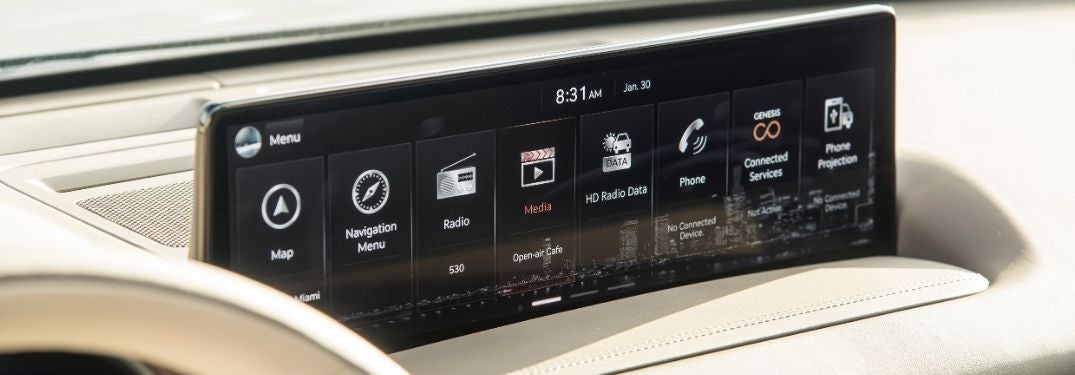
How To Use the Genesis Connected Services Car Finder Have you ever lost track of where you parked your brand-new 2021 Genesis GV80 when you went to the store? Genesis Connected Services will help you on your automotive treasure hunt with the Genesis Connected Services Car Finder application. Armed with Genesis Connected Services and the Intelligent Assistant app, you can check the weather, find your car, use your calendar, check vehicle diagnostics, start your Genesis remotely and much more. Learn how to use the Genesis Connected Services Car Finder with this quick step-by-step guide. Visit the Earnhardt Genesis of North Scottsdale inventory to find the right luxury automotive fit for you and your family! more READ MORE: How To Use Apple CarPlay in Your Genesis How-To Guide to Genesis Connected Services Select Connected Services on the Touchscreen Display Select Connected Services Settings on the Touchscreen Display Select Activate Connected Services Do Not Turn Off Your Genesis During Activation How-To Guide to the Genesis Connected Services Car Finder Download the Genesis Connected Services Intelligent Assistant App on Your Phone Select the Map Icon on the Home Screen Click the Car Finder Icon Enter Your PIN Number Select the Horn and Lights Icon to Find Your Car When You Get Close

Close Up of 2021 Genesis GV80 Touchscreen Display

Step-By-Step Guide to Android Auto Capabilities in Your Genesis

How To Set Up and Use Android Auto in Your Genesis Are you a proud owner of the brand-new 2021 Genesis GV80? Are you still learning the ins and out of your automotive masterpiece? Are you still trying to get Android Auto to work with your smartphone? We are here to help at Earnhardt Genesis of North Scottsdale. Learn how to set up and use Android Auto in your Genesis with this step-by-step guide. Find a Genesis model that will fit your needs today when you visit the Earnhardt Genesis of North Scottsdale inventory! more READ MORE: How To Set Up and Use Apple CarPlay in Your Genesis How-To Guide to Android Auto in Your Genesis Plug Your Android Smartphone into the USB Port Launch Android Auto on the Genesis Touchscreen Display Allow Android Auto to Access Your Contacts, Make Calls, Access Your Location, Send Text Messages, Receive Text Messages and Record Audio Access Android Auto Features Via Voice Commands or the Touchscreen Display

Contact Us

Fill out this form below and we'll contact you shortly

By submitting your information, you agree to the sharing of your information between Genesis Motor America and its authorized retailers.

*Required Fields